Becoming a proactive email security team starts with understanding how to stop email phishing from affecting you and the rest of your organization. Adversarial artificial intelligence (AI) and rogue machine learning (ML) algorithms continue to generate near-perfect malicious email phishing content, complete with clickable links, malware payloads, and malicious attachments.
Trustifi’s global email security solution, based on mature AI engines, helps prevent next-generation phishing attacks from affecting its clients. Trustifi’s ability to train its AI engines with security telemetry continuously places it at the forefront of the email security industry.
Are you still using legacy email security solutions? Time to migrate? Trustifi is your solution to choose!
Click here to schedule an initial demonstration and quote!
Introduction to New Forms of Email Phishing in 2025
Is phishing still a problem in 2025? The simple answer is yes!
“In 2025, hackers sent nearly 3.4 billion phishing emails daily.”
Google, Microsoft, and Yahoo email block close to 100 million of these messages per day. Organizations, individuals, and governments must block the rest of these phishing threats.
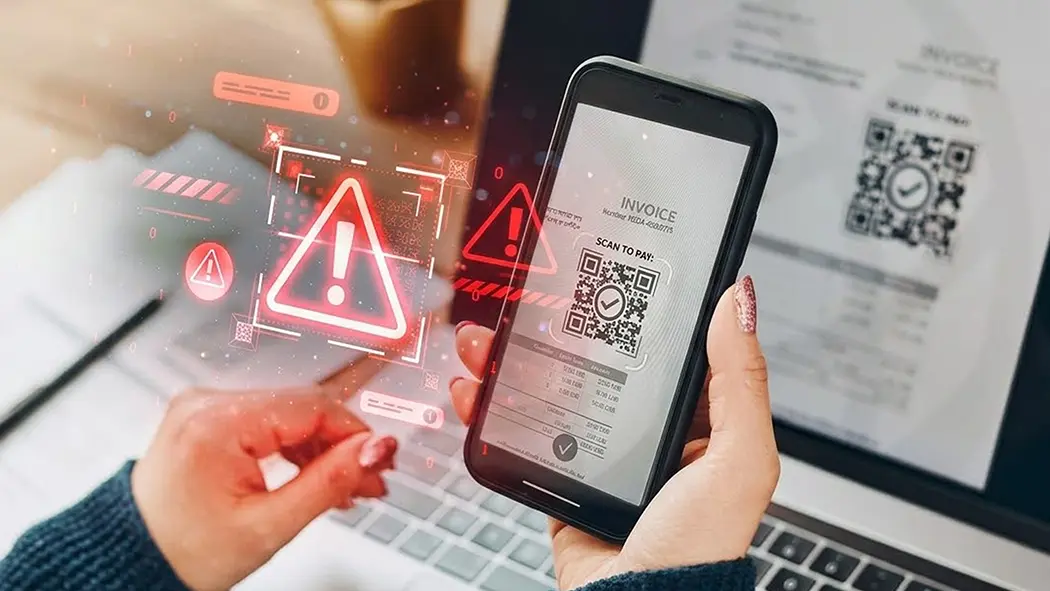
Phishing comes in many forms, not just email. Smishing or SMS text phishing, vishing or voice email phishing, QR Code phishing in restaurants and retail stores, and phishing emails contributing to the increase in business email compromise (BEC) continue to be a global problem.
Organizations investing in defensive AI and ML tools, dynamic security awareness training, and attack simulation benefit from these prevention layers in stopping suspicious emails, spam emails, and standard phishing techniques.
However, hackers also invest in similar AI tools, extending their ability to alter their attack vector with more pinpointed accuracy, increase velocity with additional foreign language support, or set their ransomware attacks dormant.
Within a phishing message, the hackers continue to use lookalike domains and impersonate an individual or executive from another firm, someone important, including the President of the United States. Phishing uses clever words to lure the victim into clicking on the malicious link, requesting that they change their passwords.
Phishing emails that include words like, “Verify your account before you can proceed” or “Well done! Your application has been accepted. Click here to see the next steps.”
Understanding Different Phishing Attacks in 2024
Phishing email attacks continue to start with the same foundation methods from previous years. Spear phishing attacks, whaling phishing, double barrel phishing, business email compromise (BEC), pop-up phishing, social media phishing, and SMS phishing represent existing email threats and known phishing campaign methods.

Hackers powered by AI continue to take the basic foundation of phishing methods and morph them into far more effective attack vectors. These attack vector alterations include extending the attack in different languages, changing where the attack needs to take place, adding things like QR codes, image-based objects, cloned content stolen from legitimate emails, and even posing as a customer service person from reputable companies.
These additions make previous phishing attacks more challenging to detect and defend with basic email filters, spam-blocking services, and legacy secure email gateways.
Identifying Phishing Emails in 2024
Identifying a phishing message traditionally started with misspelled words, poor grammar, or prominent lookalike domains. Today, in 2024, phishing messages are far more complex to detect, especially with hackers using WormGPT, FraudGPT, and DarkGPT. These rogue tools create near-perfect dictation, proper grammar, and identifiable content trolled from the Internet, making these messages challenging to block. Even with the most advanced threat protection tools available, these well-crafted suspicious messages continue to cause credential theft, fraud within financial institutions, and identity theft.
Here are some examples of next-generation phishing attacks initially based on an older threat vector.
Angler Phishing
Initially based on social media phishing as a foundation attack, Angler phishing developed into posing as a customer service representative. A hacker creates a fake account and contacts an upset customer. The hacker, posing as a customer service person, strikes up a conversation with the customer, offering to help in any way possible. The hacker sends dangerous links to the customer, redirecting them to a fake website.
Recommendation: How to prevent an angler attack?
If someone from a large corporation like Amazon, Cisco, or Google contacts you, look for the blue checkmark next to their name. Another essential thing to do is visit the company’s support page to contact them. Validate the link from the hacker. The domain within the link should match the company’s support link domain. This is likely an angler phishing attack if the domain inside the rogue link differs.
Evil Twin Phishing
Evil twin phishing is unique, engaging, and highly effective in luring new victims into a network. “It is common at public Wi-Fi spots like airports, coffee shops, and city/county Wi-Fi hotspot areas.”
The hacker creates a duplicate Wi-Fi hotspot to lure the victim onto their network. If you are not prompted with a password, this is likely a rogue duplicate Wi-Fi network.
Recommendation: Always use a VPN when in public.
Using a VPN, regardless of location, is a critical security protection capability. Coffee shops, airports, sporting events, and trains offer public Wi-Fi access even in most foreign countries. Using a VPN solution, you can ensure that all communication from your device to your content destination is encrypted.
Costco Phishing Scams
Hackers use well-known brands in their attack emails, including Costco, BestBuy, and Target. The message is, “Claim your prize and additional discounts on your next purchase.” These phishing emails also contain attachments loaded with malware and malicious links.
These call-to-action (CTA) emails replicate the actual emails sent by these large retailers. The only difference is the sending domain and the malicious content.
Recommendation: Check the email header information to verify that the domain being sent matches the email address on the company support site.
New Technological Solutions to Stop Phishing
Preventing next-generation phishing requires a multi-layer approach, not a single device or cloud-based filtering solution.
Using the angler phishing example, organizations must have the following email security adaptive controls functioning and integrated to prevent this attack.
Security Awareness Training and Attack Simulation
CIOs and CISOs realize that not all cybersecurity prevention functions are technical. Security awareness leveraging real-time telemetry is as essential as email phishing solutions and encryption.

Well-informed users with a good understanding of the effects of phishing take note and have a “read more before they click” mindset. Using attack simulation based on actual security telemetry also helps educate the users on the phishing attacks they can expect to help stop.
Behavioral and Procedural Defenses
Before introducing artificial intelligence (AI) and machine learning (ML), first-generation behavior analytics helped organizations stop advanced email phishing threats. Behavioral used heuristic rules or basic machine learning algorithms to better detect attacks far more effectively than static-based rules.
Procedural defense is often associated with individual actions, including following written security policies and executing response scenarios based on company policy.
Practical Tips and Techniques For Stopping Email Phishing Attacks
Several tips and techniques are available for organizations to help prevent phishing attacks outside of the expected deployment of advanced AI inbound email filtering, outbound data loss prevention (DLP), and security awareness training.
Network Segmentation
Enabling network segmentation helps prevent ransomware attacks from spreading through your network. These adaptive controls block the ransomware from spreading. However, these tools do not prevent the initial attack from happening.
Zero-trust and Patch Management
Zero-trust architectures help limit access to critical hosts, preventing hackers from loading malware onto these devices. They also avoid phishing email attacks by patching all devices with the latest security updates and feature enhancements.
Reporting and Responding to Phishing Attempts
Continuous monitoring and reporting on phishing attempts are essential to validate that the various protection layers function as expected. These functions also help the organization meet its various compliance mandates.
Accurate and timely reports and monitoring also help with the effectiveness of automated incident response. Two widely used key performance indicators (KPI) with the security operations teams are mean-time-to-detect (MTTD) and mean-time-to-respond (MTTR). Both KPIs help organizations determine if their cybersecurity controls can detect and prevent attacks within a specific timeframe or service level agreement.
Organizations needing help meeting these KPIs draw two conclusions: they need detection and response capabilities and better response automation.
Advanced Preventative Measures
Organizations wanting to improve their MTTD and MTTR need to evaluate advanced email security prevention capabilities beyond the current spam filtering offered by the email provider. The capabilities encompass AI and ML for inbound email filtering, AI-enabled DLP functionality, AI-enabled security awareness training, and email archiving with legal hold.
These advanced features help organizations detect early warning signs of a possible email phishing attack and block attempts to exfiltrate data from within the enterprise network. These attacks could be from an insider threat, recently added devices, or an impostor attack from an external remote connection.
Case Studies and Real-World Examples
Trustifi’s list of real-world case studies continues to grow. Many of these case studies leverage Trustifi’s infrastructure consolidation strategy along with becoming far more secure thanks to their investment in AI and ML defensive tools.
Here are some real-world success stories of organizations trusting Trustifi for email security.
Case Study 1: Independent Financial Group, LLC – Del Mar, California
“When we initially engaged Trustifi for outbound emails, we didn’t even know that Trustifi had an inbound component to stop email phishing attacks. We also didn’t realize that Trustifi could accommodate us without adjusting the contract. The firm could quickly run it to replace our existing email security services. We no longer had to spend lots of time explaining the security procedures, convincing users to adopt them, monitoring alerts when users aren’t applying security measures, and investigating the security issues that would arise because they didn’t use them.”
Mason Moore
IT Manager at Independent Financial Group, LLC
Case Study 2: Manufacturing Sciences Corporation, Oak Ridge, TN
“Implementing the Inbound Shield blocks communications coming in next-generation email phishing attacks you do not want your employees to receive or click on. It is important to identify everything Trustifi catches in incoming emails and monitor such potential attacks using their dashboard and reports.”
Rodney Messer
co-CEO of Manufacturing Science Corporation (MSC)
Why Do Organizations Trust, Trustifi?
Preventing email phishing takes a multilayer approach, aligning corporate policies, advanced AI email protection, security awareness training, and attack simulation, and it needs to be easy to manage.
The email phishing prevention strategy needs to be easy to manage, and the solution also needs to be effective and help lower security operations costs.
Therefore, organizations globally trust Trustifi.
Get Started With Trustifi Today – Easy, Affordable, and Comprehensive
Whether you are looking for an extra layer of protection in your existing email environment or a full-suite solution, the expertise and simplicity Trustifi offers will exceed your expectations. Let’s discuss pricing and a customized email security plan for you.
Request a demo today!