Device code phishing is an account takeover technique that tricks users into authorizing an attacker’s sign-in request through a legitimate authentication page. Unlike traditional credential phishing, it does not require a fake login page or a stolen password.
Attackers may disguise the request as a meeting invitation and persuade employees to enter a device code and complete authentication. Even multifactor authentication (MFA) may not stop an attack when the employee unknowingly approves the request. MSPs and IT teams need phishing detection, identity controls, and monitoring for suspicious mailbox activity after sign-in.
What Is Device Code Phishing?
Device code phishing abuses a legitimate authentication process by tricking someone into completing an attacker’s sign-in request.
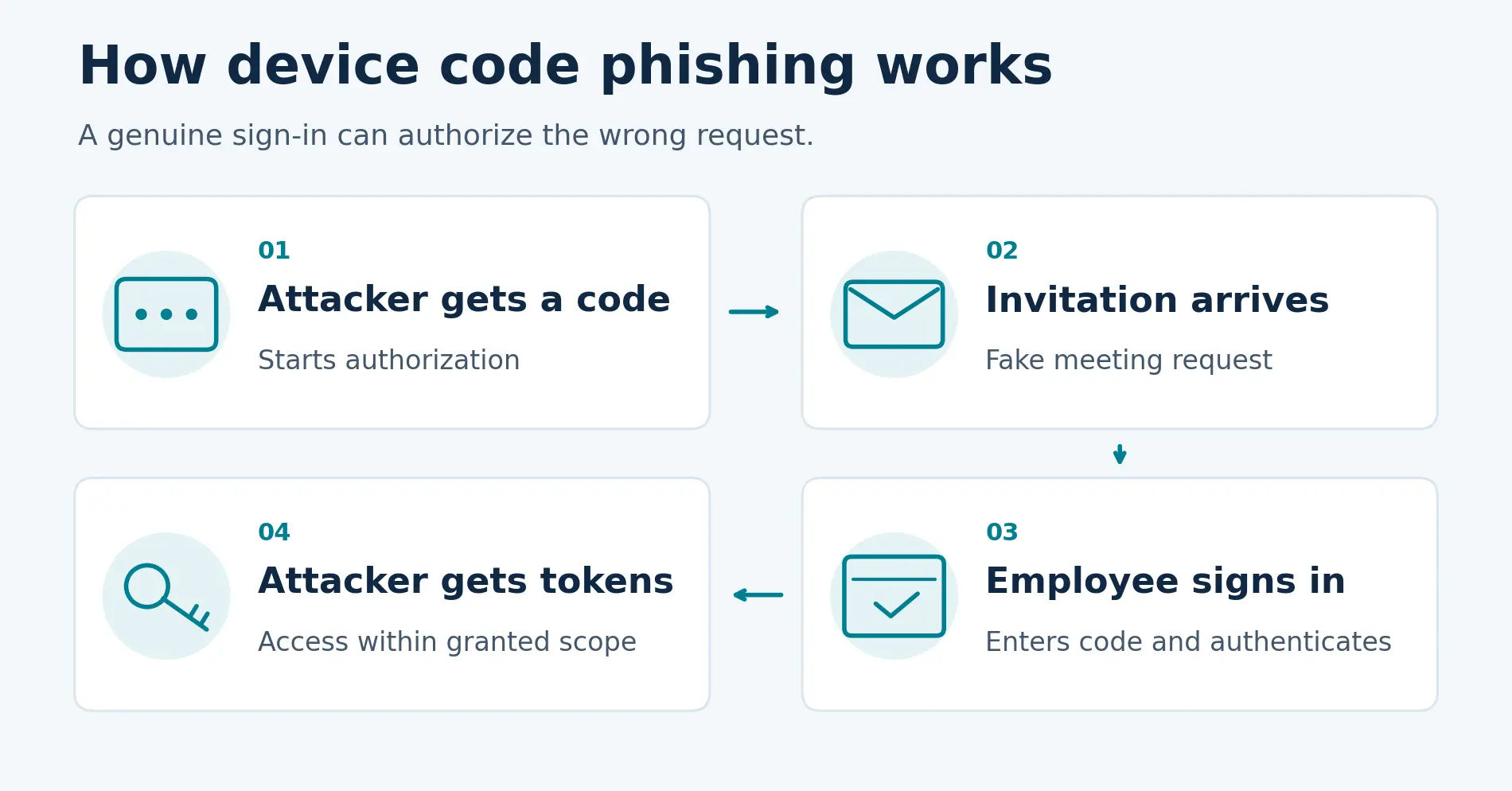
Microsoft’s device authorization flow lets users sign in to devices with limited input capabilities. They enter a short code in a browser on another device and authenticate. The requesting application then receives tokens that allow access within the granted permissions.
In an attack, the criminal initiates the request and persuades an employee to enter the supplied code. The employee’s successful authentication authorizes access for the attacker-controlled application.
How a Device Code Phishing Attack Works
Consider an employee who receives an email appearing to invite them to a Microsoft Teams meeting.
The invitation includes a code and instructions to enter it on Microsoft’s sign-in page. Believing this is part of joining the meeting, the employee enters the code and completes authentication.
The attacker’s application receives the resulting tokens and can use them to access permitted resources. The employee has completed a real sign-in for a request the attacker initiated.
Can Device Code Phishing Bypass MFA?
Employees are often taught to check a website’s domain before entering credentials. That check remains useful, but device code phishing can send them to a genuine Microsoft page.
Multifactor authentication (MFA) also remains essential. In this attack, however, the employee may complete the required MFA themselves. Successful authentication can still authorize the wrong request.
The warning sign is an unexpected instruction to enter a code. Employees should verify who initiated the request and which application they are authorizing.
From a Fake Teams Invitation to Mailbox Access
Microsoft’s Storm-2372 investigation documented attackers using fake Teams meeting invitations to prompt device code authentication. After gaining access, the attackers searched compromised mailboxes and sent additional phishing messages from affected accounts.
The campaign shows how a deceptive invitation can lead to mailbox access and further attacks from a trusted account.
How to Prevent Device Code Phishing
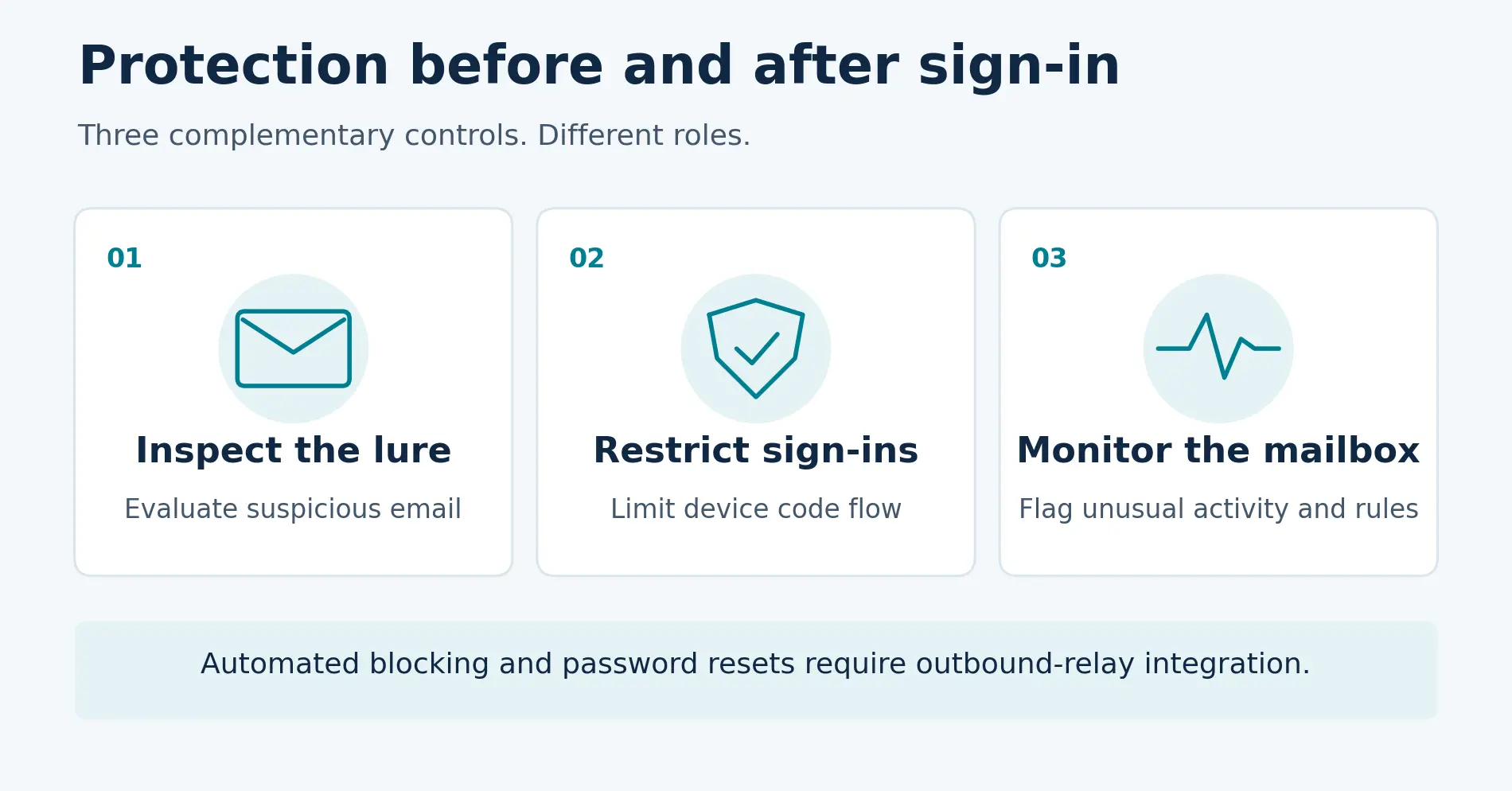
Effective defense addresses three stages of the attack: detecting the phishing lure before employees engage, restricting unnecessary device code authentication, and monitoring for suspicious mailbox activity after sign-in. Employee awareness and incident response support all three.
Detect suspicious messages before employees engage.
Trustifi Inbound Shield evaluates sender behavior, message content, authentication signals, links, and attachments to identify phishing attempts. Administrator-defined policies can automatically quarantine messages when AI scoring and threat signals meet configured conditions.
For device code phishing, the message and its context matter as much as the destination. A genuine Microsoft sign-in URL does not make an unexpected code request safe. Inbound Shield helps evaluate suspicious messages before employees act, while identity controls and mailbox monitoring provide additional protection.
Restrict device code authentication where it is unnecessary.
Use Microsoft Entra Conditional Access to restrict device code flow. Audit legitimate usage, document necessary exceptions, and test policies in report-only mode before enforcement. Microsoft’s configuration guidance explains the recommended approach.
Teach employees to question unexpected code requests.
Employees should verify unexpected meeting invitations and requests to enter sign-in codes through a known communication channel. Training should cover genuine authentication pages as well as counterfeit ones.
Our QR code phishing guide explores another way attackers use familiar interactions to draw employees into an account-compromise attempt.
Monitor for suspicious behavior after sign-in.
Trustifi Account Takeover Protection learns normal mailbox behavior across sign-in times, devices, locations, and frequently contacted domains. It flags suspicious deviations and mailbox rules, including forwarding or deletion rules that may indicate misuse.
Administrators configure conditions for reviewer alerts or automated response. When those conditions are met, Trustifi can notify a reviewer or apply the configured action. Full automated blocking and password-reset response requires integration with Trustifi’s outbound relay.
Establish behavioral baselines and tune exceptions for legitimate travel, VPN use, and new devices. Account Takeover Protection is included in the Trustifi platform at no additional cost.
For MSPs, this adds a consistent capability to client account-security reviews. Account Takeover Protection complements Microsoft identity controls by monitoring supported mailbox-risk signals after authentication; it does not directly prevent device code sign-ins.
Prepare for token-based compromise.
Include token revocation in the incident response process. Microsoft recommends revoking refresh tokens when device code phishing is suspected. A password reset alone should not be treated as confirmation that token-based access has ended.
Detect Account Threats That Authentication Alone Can Miss
Device code phishing shows why account security needs to continue after successful authentication.
Trustifi combines inbound phishing detection with monitoring for suspicious mailbox behavior after authentication. Explore Account Takeover Protection or book a demo to learn how your team can investigate account risks and configure appropriate responses.