Trustifi September 2026 Updates: Simplifying Security
Clearer Email Risks, Less Administrative Work
September’s Trustifi updates make email risks easier to understand and everyday security workflows easier to manage. Highlights include redesigned Smart Banners, a new Autotask PSA integration, automatic closure of resolved release-request tickets, and faster ways to find and restore archived email.
Building on our July and August releases, these improvements give customers and MSPs clearer information and reduce repetitive administrative work.
Understand Email Risk at a Glance
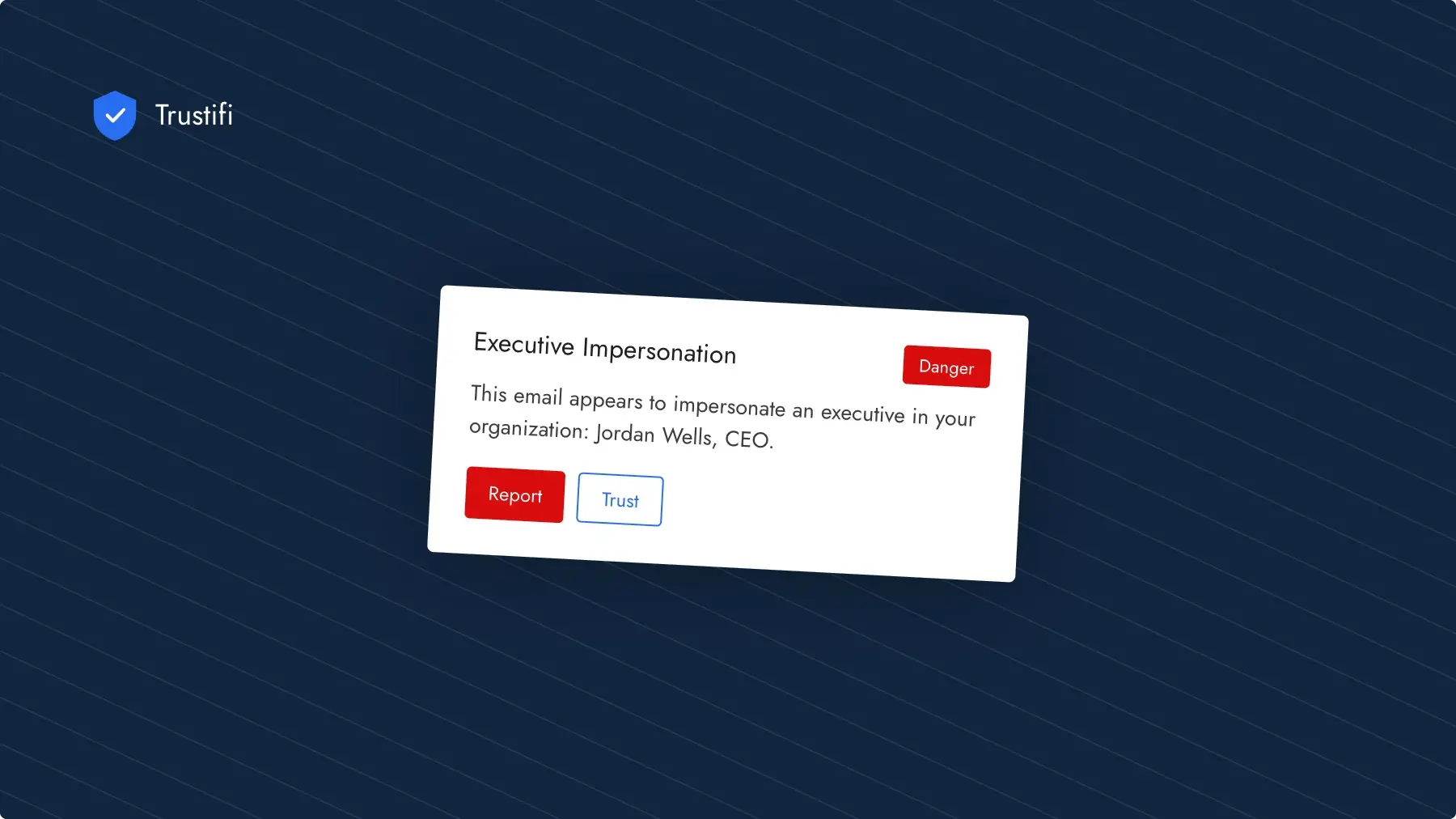
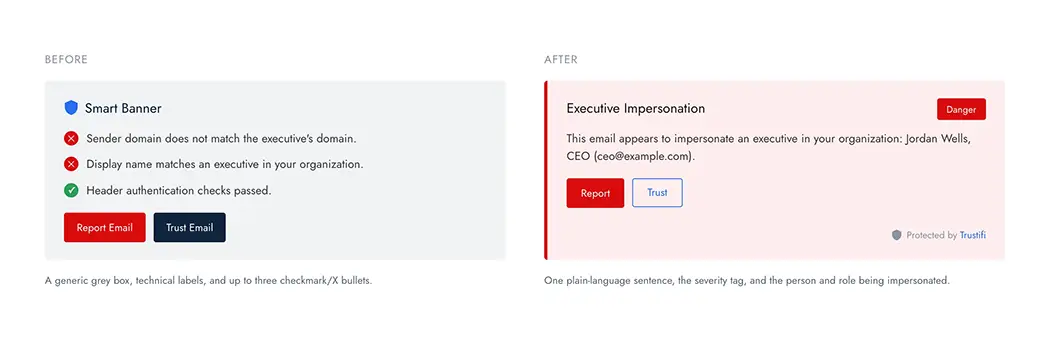
Redesigned Smart Banners in Inbound Shield pair a cleaner design with plain-language explanations and four severity levels: Danger, Caution, Informational, and Trusted. Employees get clearer context about what Trustifi found directly in the email, helping them make more informed decisions as they work.
Explore the redesigned Smart Banners and see what’s changed.
Connect Security Events to MSP Service Desks
New integration capabilities keep service desk workflows connected to email security:
- Autotask PSA integration: Automatically create and manage tickets in Autotask when security events are detected.
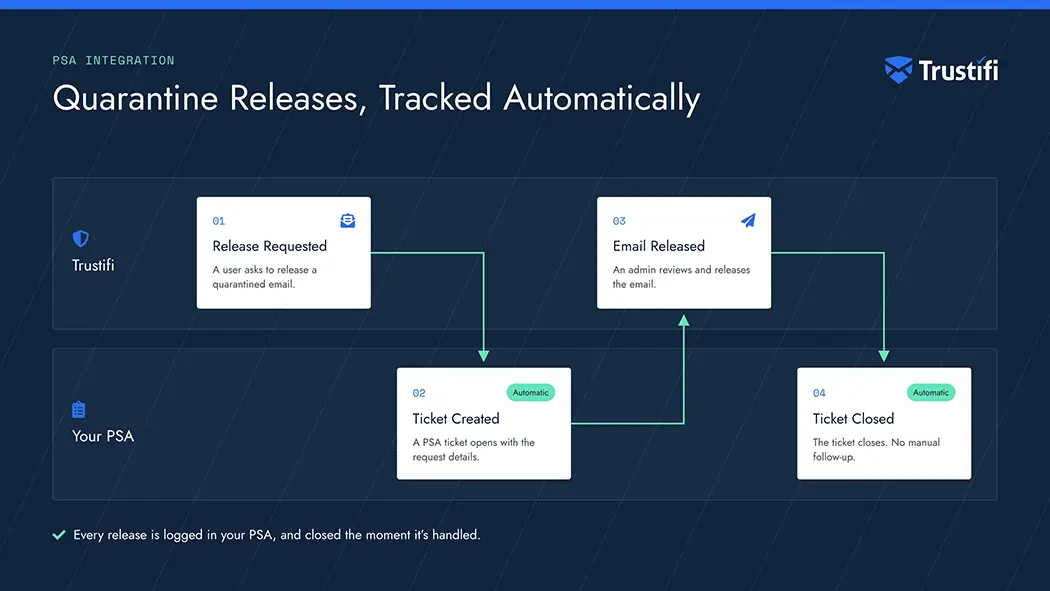
- Automatic ticket closure: PSA tickets created from quarantine release requests now close automatically when the email is released.
- Account compromise incidents across managed plans: MSPs with a configured PSA integration now receive account compromise incidents from managed plans directly in their PSA, without additional setup within each managed plan.
Find and Restore Archived Email Faster
- Bulk restore: Select multiple archived emails and restore them in one action.
- Search by attachment name: Find messages using a full or partial attachment filename, combined with sender, recipient, or date filters. Locate a contract, invoice, or report even when you don’t know the subject line.
Give Reviewers More Context and Control
- Keyword details in quarantine notifications: Inbound rule notifications now identify the keyword that triggered quarantine, helping reviewers understand why a message was flagged.
- Clearer Account Takeover Protection alerts: Notification subjects now identify whether a user was blocked, blocked for 24 hours, or marked risky. Reviewers receive these status changes even when regular notifications are disabled. Custom subjects also support dynamic user and incident details.
- Separate Outbound Shield permissions: Grant reviewers access to outbound rules and email signatures independently, so each person can manage the areas relevant to their role.
Build More Flexible Outbound Rules
Outbound rules now support regular expressions for keyword conditions. Administrators can match patterns in email subjects, bodies, and attachment names, including ticket numbers, project codes, and internal document IDs. Patterns are validated when saved to reject unsafe or malformed expressions.
Monitor Email Activity and Search Audit Logs
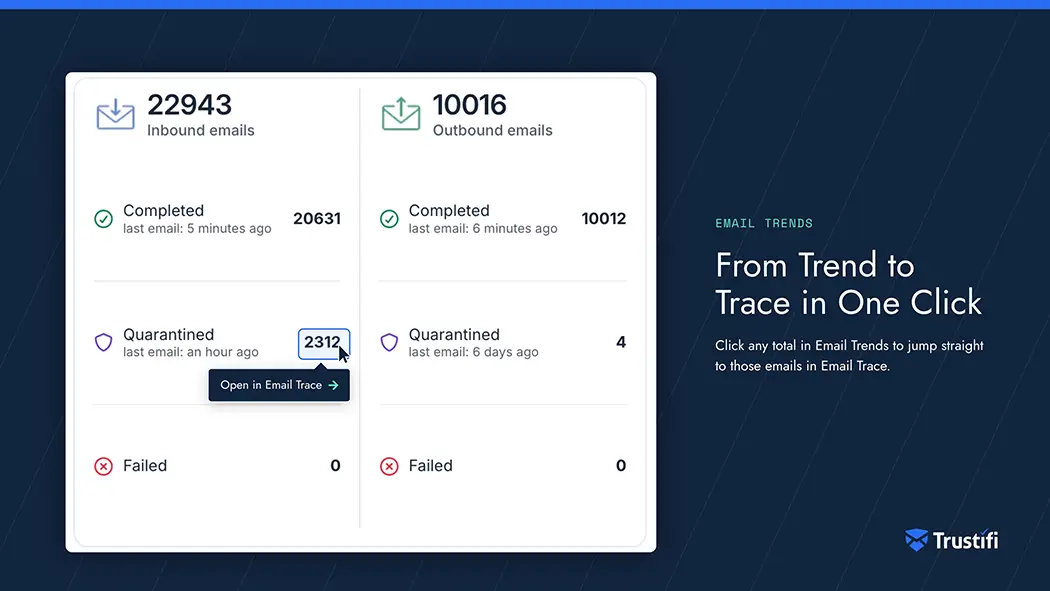
- Email Trends on the Home page: View inbound and outbound email volumes, totals, and when the last email was seen for a selected period. Click the totals to investigate the messages in Email Trace.
- Custom audit log date ranges: Filter entries by specific start and end dates for more precise searches and reporting.
More Everyday Improvements
- Refreshed administration pages: Updated interfaces make it easier to create and modify plans and manage logos, names, and branding through the Look and Feel page.
- Redesigned documentation and API portals: Improved search and navigation make guides and API references easier to find.
- Threat Simulation campaign visibility: The campaign wizard now displays each recipient’s license and the total number of selected recipients, making it easier to confirm the audience before sending.
Log in to your Trustifi portal to explore the latest updates, or contact your account team for help with configuration.