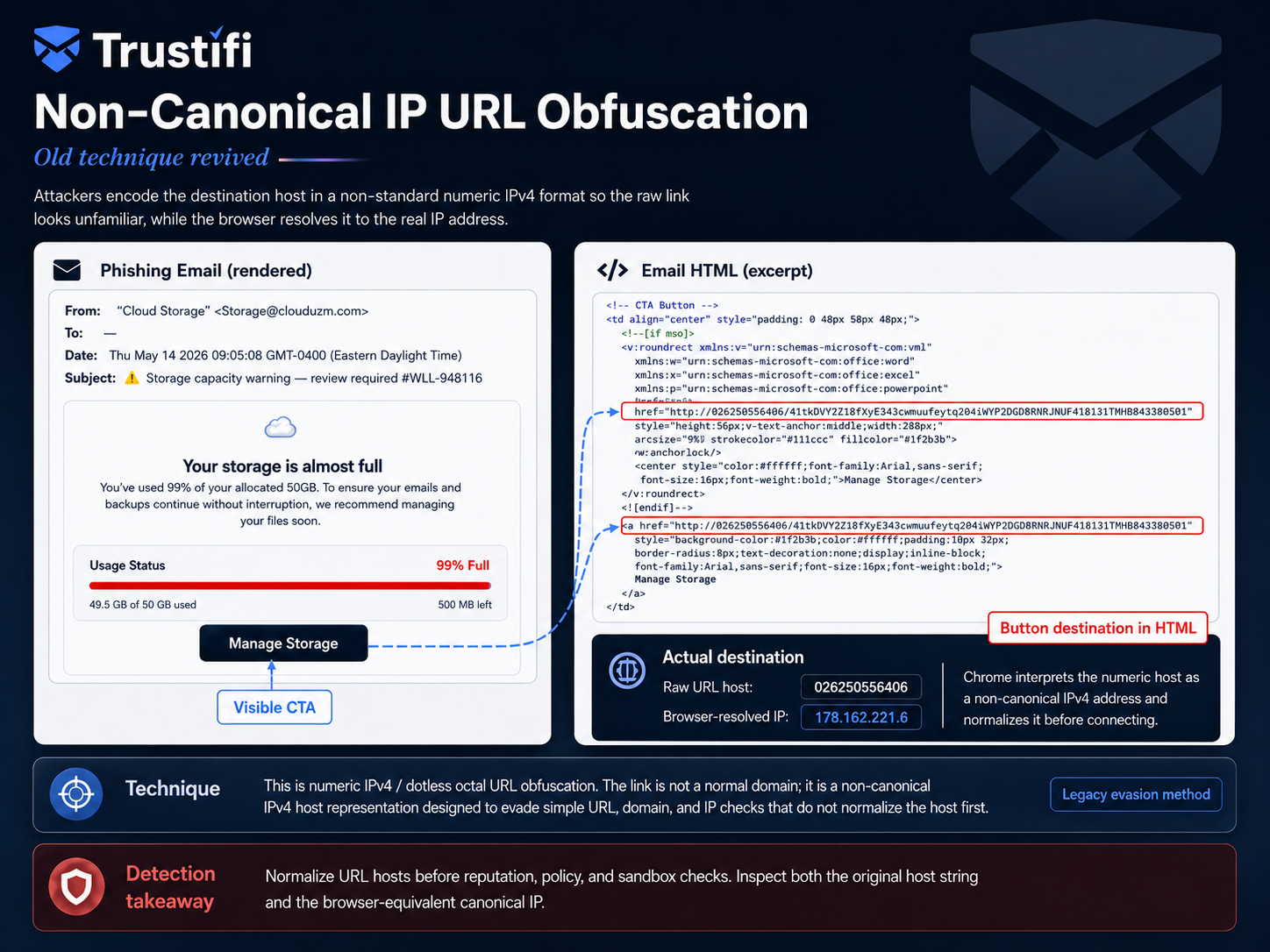
The best anti-phishing software for businesses in 2026 does more than block obvious spam. It stops complex phishing, business email compromise, malware, and outbound data leaks, all inside one platform your IT team can manage without a second full-time hire.
That’s a tall order because the threats have changed. Attackers now use generative AI to write flawless emails, clone executive writing styles, and build phishing pages that pass a casual glance test.
Business email compromise alone has cost organizations billions of dollars in losses reported to the FBI over the past few years, and that number keeps climbing as attackers get better at impersonation. Meanwhile, outbound risk, the critical data your own employees might send to the wrong person, sits in the background until it becomes a compliance headache.
This guide is written for CISOs, CIOs, IT managers, security administrators, and MSPs who are comparing email security platforms and need a clear-eyed view of what matters.
You’ll get a breakdown of the threats modern software has to stop, a practical checklist of features worth prioritizing, and a direct look at how Trustifi addresses each of those priorities.
 Even with inbound threats blocked, organizations remain exposed to accidental data leaks, misdirected emails containing sensitive information, and unsafe file sharing that slips past security controls. Outbound risk belongs in the conversation because the consequences are just as real.
The compliance stakes are concrete: email containing patient records, financial data, or legal documents can trigger regulatory investigations, breach notifications, and significant fines. Organizations that manage inbound detection and outbound encryption through separate tools also end up dealing with integration headaches, inconsistent policy enforcement, and a higher total cost of ownership than they bargained for.
A combined inbound and outbound architecture gives IT teams one platform to deploy, manage, and audit instead of juggling two configured systems. Outbound protection also raises a related question: what happens when a stolen credential turns a trusted sender into an attacker’s launchpad?
That’s where account monitoring comes in.
Even with inbound threats blocked, organizations remain exposed to accidental data leaks, misdirected emails containing sensitive information, and unsafe file sharing that slips past security controls. Outbound risk belongs in the conversation because the consequences are just as real.
The compliance stakes are concrete: email containing patient records, financial data, or legal documents can trigger regulatory investigations, breach notifications, and significant fines. Organizations that manage inbound detection and outbound encryption through separate tools also end up dealing with integration headaches, inconsistent policy enforcement, and a higher total cost of ownership than they bargained for.
A combined inbound and outbound architecture gives IT teams one platform to deploy, manage, and audit instead of juggling two configured systems. Outbound protection also raises a related question: what happens when a stolen credential turns a trusted sender into an attacker’s launchpad?
That’s where account monitoring comes in.
 Data loss prevention, or DLP, works by scanning outgoing emails and attachments for regulated data patterns and then blocking, quarantining, or encrypting the message before it leaves your environment. In plain terms: it catches mistakes before they become breaches.
The relevance shifts by industry. Healthcare organizations rely on it to safeguard protected health information (PHI) in clinical communications under HIPAA and HITECH.
Financial services firms use it to guard nonpublic personal information, account data, and transaction records covered by GLBA, PCI DSS, and SEC rules. Legal teams depend on it to keep attorney-client privileged communications and case documents confidential.
Government agencies use it to secure citizen data and sensitive interdepartmental records. DLP is the practical answer to human error.
An employee attaches the wrong file or fires off an email to the wrong recipient; the system catches it so IT doesn’t have to reconstruct what happened after the fact. Done well, it runs in the background without adding steps to anyone’s workflow.
Once critical information is flagged, the next question is how it gets protected, which brings us to encryption.
Data loss prevention, or DLP, works by scanning outgoing emails and attachments for regulated data patterns and then blocking, quarantining, or encrypting the message before it leaves your environment. In plain terms: it catches mistakes before they become breaches.
The relevance shifts by industry. Healthcare organizations rely on it to safeguard protected health information (PHI) in clinical communications under HIPAA and HITECH.
Financial services firms use it to guard nonpublic personal information, account data, and transaction records covered by GLBA, PCI DSS, and SEC rules. Legal teams depend on it to keep attorney-client privileged communications and case documents confidential.
Government agencies use it to secure citizen data and sensitive interdepartmental records. DLP is the practical answer to human error.
An employee attaches the wrong file or fires off an email to the wrong recipient; the system catches it so IT doesn’t have to reconstruct what happened after the fact. Done well, it runs in the background without adding steps to anyone’s workflow.
Once critical information is flagged, the next question is how it gets protected, which brings us to encryption.
Common Phishing Threats Businesses Need to Stop
Every buying decision comes down to one question: which attack paths does this software close? Businesses face several distinct categories of email-borne threats, and protecting against one creates a gap attackers will find. Each threat below carries operational, financial, compliance, and reputational consequences. Understanding these business email security risks can help both the people configuring the software and the people signing off on the budget see which protections matter most.Email Spoofing and Impersonation
Spoofing and impersonation attacks forge a sender’s identity, so the message appears to come from a trusted executive, vendor, partner, or coworker. The email looks like it’s from your CFO or your longtime supplier; that’s the point. In practice, this shows up as fake invoice requests routed to accounts payable, fraudulent payroll instructions aimed at HR, executive impersonation pushing an urgent wire transfer, or vendor fraud that exploits an existing supply chain relationship. Standard email filters miss these attacks because there’s nothing malicious to flag; no bad link, no infected attachment, just a convincing request. Stopping this category requires software that analyzes sender behavior, message context, header authentication, and communication patterns, not just content.Credential Theft
Credential phishing lures employees to fake login pages built to harvest Microsoft 365 or Google Workspace credentials. These pages mirror the real authentication portal down to the logo placement, which is why even alert employees get caught. Once attackers have valid credentials, the damage compounds. They can access email accounts, move laterally across connected systems, launch internal phishing campaigns from a trusted inbox, and pull confidential files long before anyone notices the account behaves otherwise. This is where multi-factor authentication (MFA) support and behavioral monitoring both matter. When evaluating software, check whether it integrates with your existing MFA setup and whether it flags anomalous login behavior or account takeover signals on its own. Content filtering alone won’t catch this; credential phishing needs to be stopped through a layered approach that includes account-level anomaly detection.Malicious Links and Attachments
Malicious links redirect users to exploit pages or credential-harvesting sites, while infected attachments deliver ransomware, spyware, or remote access trojans. Simple enough in concept, but the execution has gotten sneakier. Attackers now use delayed link activation, URL shorteners, and multi-stage redirects to slip past static scanning tools. By the time a security signature catches up, the payload has already run. That delay is what makes this category so costly; a single opened attachment can encrypt network drives, halt daily operations, and trigger recovery costs that climb into six figures. Stopping this threat requires pre-delivery sandboxing, real-time URL inspection, and AI-powered scanning that examines every layer of a message before it ever reaches an inbox; not after.Business Email Compromise
Business email compromise, or BEC, refers to targeted, socially engineered attacks that manipulate employees into authorizing fraudulent wire transfers, sharing protected data, or approving fake vendor payments. Nothing here trips a scanner, just a convincingly worded request that sounds like something your CEO or vendor would send. That absence of traditional red flags is what makes BEC so dangerous. Legacy tools built around signature matching or basic content filters are blind to it because there’s nothing to match against. BEC has ranked among the costliest categories of cybercrime, with losses reported to the FBI measured in billions of dollars each year. The fallout includes misdirected wire transfers, exposed confidential data, executive impersonation, and forensic investigations that can drag on for months. The takeaway for buyers is straightforward: effective defense tools need AI-driven behavioral threat detection paired with outbound controls and account-level monitoring. Inbound scanning by itself isn’t enough.What the Best Anti-Phishing Software Should Include
Now that the threat landscape is clear, it’s time for the practical part: what should you require before signing a contract for your anti-phishing software? In 2026, “best” means comprehensive coverage, low administrative burden, a clean fit with your existing Microsoft 365 or Google Workspace environment, and room to scale as your organization grows. The criteria below are organized around real decision-making needs, not a raw list of feature checkboxes.Inbound Email Threat Detection
Strong inbound detection in 2026 means the software inspects sender identity and authentication signals, subject line and body content, embedded links, and every attachment before a message ever reaches the user’s inbox. Anything less leaves a gap. AI-driven detection matters here more than rule-based systems ever could. Modern phishing is polymorphic and context-aware, built to evade static filters designed for yesterday’s attacks. Machine learning models that analyze behavioral patterns, sender reputation, and anomalous message characteristics catch what older tools miss. Sandbox analysis adds another critical layer, isolating zero-day attachments and newly registered domains that don’t yet have a threat signature on file. Trustifi’s Inbound Shield is a good example of what multi-layered inbound protection looks like in practice; it combines advanced phishing detection, malware and ransomware scanning, and BEC-specific analysis within a single scanning engine, rather than requiring separate tools stacked on top of each other. Inbound protection handles what’s coming in. But a complete strategy also has to govern what goes out.Outbound Email Protection
Even with inbound threats blocked, organizations remain exposed to accidental data leaks, misdirected emails containing sensitive information, and unsafe file sharing that slips past security controls. Outbound risk belongs in the conversation because the consequences are just as real.
The compliance stakes are concrete: email containing patient records, financial data, or legal documents can trigger regulatory investigations, breach notifications, and significant fines. Organizations that manage inbound detection and outbound encryption through separate tools also end up dealing with integration headaches, inconsistent policy enforcement, and a higher total cost of ownership than they bargained for.
A combined inbound and outbound architecture gives IT teams one platform to deploy, manage, and audit instead of juggling two configured systems. Outbound protection also raises a related question: what happens when a stolen credential turns a trusted sender into an attacker’s launchpad?
That’s where account monitoring comes in.
Multi-Factor Authentication Support
MFA and email defense platforms solve related but different problems. MFA is an identity control that limits the damage when credentials get stolen; email defense platforms operate at the communication layer, catching threats before they ever reach that stage. You need both, not one instead of the other. When evaluating platforms, check whether they integrate with your existing MFA setup and whether they add their own layer of mailbox-level behavioral monitoring on top of it. That second layer matters more than it used to; real-time phishing proxies and session token theft have become a growing attack technique in 2025 and 2026, capable of bypassing MFA. Anomaly detection at the email level catches what MFA alone can’t. Trustifi’s Account Takeover Protection is a useful reference point here: it monitors for unusual mailbox behavior, unfamiliar sending devices, and suspicious domain activity that signals a compromised account, even when the credentials used to access it look valid. With inbound threats blocked and accounts monitored, the next layer of risk is regulated data leaving the organization through outbound channels.Data Loss Prevention
Data loss prevention, or DLP, works by scanning outgoing emails and attachments for regulated data patterns and then blocking, quarantining, or encrypting the message before it leaves your environment. In plain terms: it catches mistakes before they become breaches.
The relevance shifts by industry. Healthcare organizations rely on it to safeguard protected health information (PHI) in clinical communications under HIPAA and HITECH.
Financial services firms use it to guard nonpublic personal information, account data, and transaction records covered by GLBA, PCI DSS, and SEC rules. Legal teams depend on it to keep attorney-client privileged communications and case documents confidential.
Government agencies use it to secure citizen data and sensitive interdepartmental records. DLP is the practical answer to human error.
An employee attaches the wrong file or fires off an email to the wrong recipient; the system catches it so IT doesn’t have to reconstruct what happened after the fact. Done well, it runs in the background without adding steps to anyone’s workflow.
Once critical information is flagged, the next question is how it gets protected, which brings us to encryption.
Encryption and Compliance Features
Traditional email encryption has a usability problem. Most legacy tools force senders to manage keys and require recipients to create accounts or log into separate portals just to read a protected message. That friction adds up, and employees find workarounds, which defeats the purpose. Ease of use isn’t a nice-to-have here; it’s a security requirement. If encryption is too cumbersome, adoption rates drop, and confidential files go unprotected regardless of how good the underlying technology is. What you should require: one-click encryption for senders, a frictionless decryption experience for recipients with no portal registration or key management, and policy triggers that encrypt messages containing regulated data. Trustifi’s one-click encryption addresses this; a sender protects a message with a single click, and the recipient opens it without creating an account or navigating a portal, preserving the normal email workflow while still meeting compliance requirements. Built-in support for HIPAA, GDPR, CCPA, and other regulated frameworks rounds out the picture, giving healthcare, financial services, legal, and government buyers a foundation that holds up to an audit. With the full feature criteria on the table, here’s a condensed version you can use while comparing vendors. [/vc_column_text][/vc_column][/vc_row] |
Trustifi Inbound Shield combines AI‑powered threat detection, one‑click encryption, and a zero‑friction deployment that works seamlessly with Microsoft 365 and Google Workspace.Its unified platform stops phishing, BEC, and ransomware before they reach users, while the built-in DLP and compliance tools keep your sensitive data safe without disrupting daily workflows.
★★★★★ 5.0 out of 5 |
Key Capabilities to Prioritize
If you’re preparing an evaluation brief or trying to keep vendor comparisons straight, this is the fast-reference version. The goal isn’t the longest feature list; it’s the right combination of strong protection, operational simplicity, and fit with the email environment you already run. Everything below distills what we covered above into a decision-ready format. Here’s what to check for as you compare platforms:- Unified inbound and outbound email protection delivered through one platform, not two managed tools
- AI-powered detection for phishing, malware, ransomware, and BEC, including behavioral analysis and sandboxing
- Microsoft 365 and Google Workspace compatibility with deployment that doesn’t require MX record changes
- Outbound DLP that identifies and protects sensitive data before it leaves the organization
- One-click encryption with a frictionless recipient experience that requires no portal login or key exchange
- Built-in compliance support for regulated frameworks including HIPAA, GDPR, CCPA, FINRA, PCI DSS, and more
- Account takeover protection with anomaly detection for suspicious mailbox behavior, devices, and sending patterns
- Simple deployment and low administrative overhead that doesn’t demand dedicated security headcount to manage
- MSP/MSSP-friendly multi-tenant management for service providers running email security across multiple client environments