Broader Detection, Faster Investigation, Less Manual Setup
October’s Trustifi updates extend detection to phishing hidden in files and shared documents, speed up threat review, and automate SPF and MX record changes. Highlights include a Stellar Cyber SIEM integration, Threat Analysis for multiple emails, and a redesigned Secure Email Access experience for recipients.
Building on our September release, these improvements give security teams and MSPs faster ways to investigate and less manual DNS work.
Catch More Phishing Hidden in Files and Shared Documents
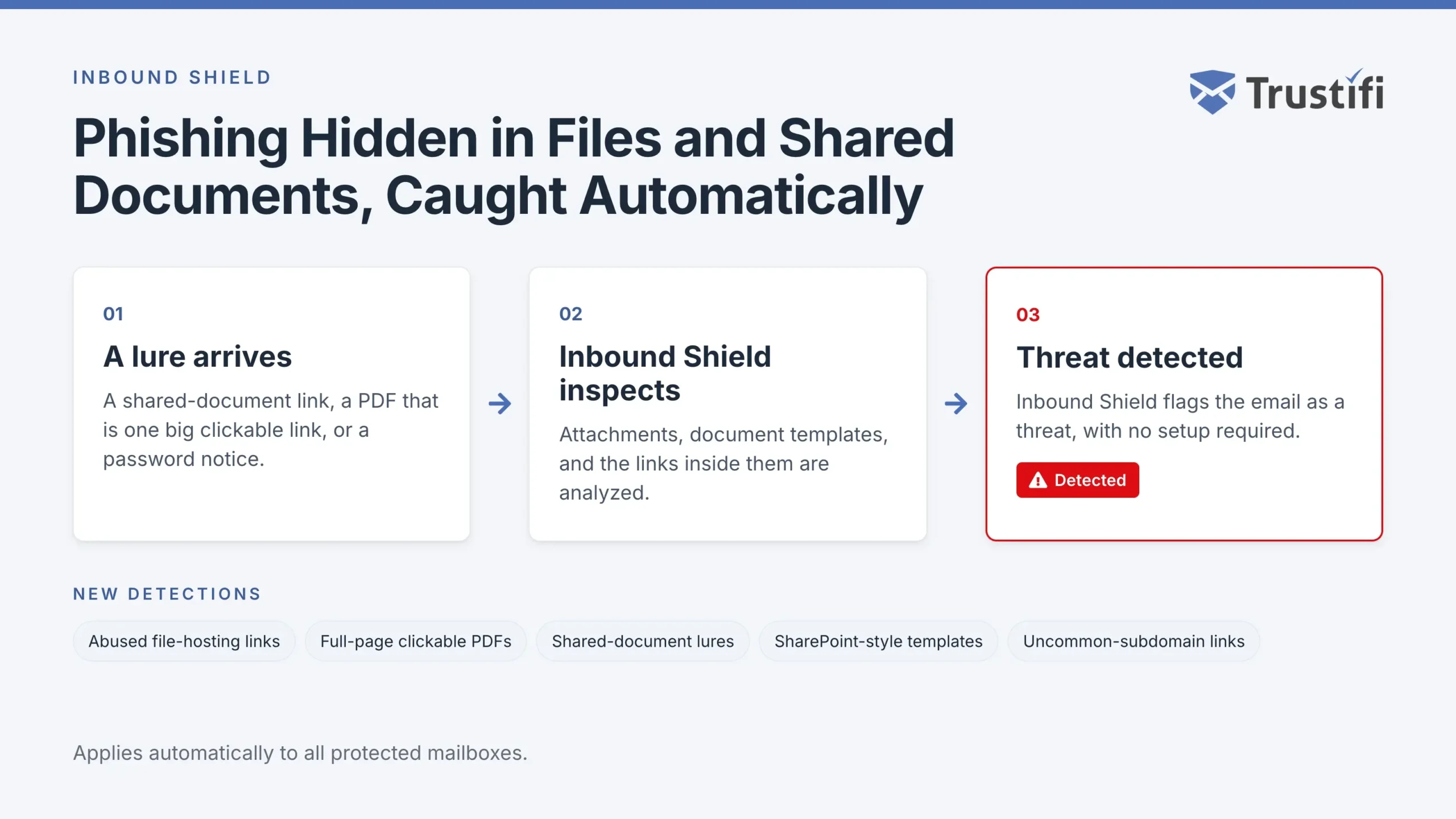
Inbound Shield now detects more phishing that hides behind files and shared documents, including:
- Attached emails whose links lead to abused file-hosting and cloud storage services
- PDF attachments where the entire page is one clickable link
- Lures that imitate shared documents
- SharePoint-style document templates and password notices
- Links written as plain text on uncommon subdomains
These detections apply automatically to all protected mailboxes.
Review Threats and Find Emails Faster
- Threat Analysis for multiple emails Select one or more emails in Email Activity and choose Threat analysis from the Actions menu. Step through each analysis with the arrows or your keyboard arrow keys, while a counter shows your progress.
- One-click Threat Analysis Click an email row in Email Activity to open its Threat Analysis directly, without the Actions menu.
- Email Trace filters Click a Sender, Recipient, or Subject value in Inbound or Outbound Email Trace to show only the records with that exact value. Click the filter in the column header to clear it.
- Partial sender search in Archive Search the From field in Archive Discovery and Archive Cases using at least three characters of a sender address, such as a username without the domain.
Set Up DNS Records Automatically
Two new flows apply DNS changes through your DNS provider using Entri, the same way Auto Verify handles domain verification:
- Automatic SPF setup for Outbound Shield Select a verified domain on the Domains page and choose the SPF setup action. Trustifi previews the merged record and updated DNS lookup count, applies the change in one step, and verifies the result. Unsafe changes, such as records that are already invalid or exceed lookup limits, are blocked.
- Automatic MX record change for Inbound Shield Move a domain’s MX records from a legacy email gateway back to Microsoft 365 or Google Workspace from the Inbound Domains page. Trustifi detects your mail platform, shows the new records for review, applies them after you confirm, and verifies them until they have propagated.
Connect Security Events and Service Desk Tickets
- Stellar Cyber SIEM integration Connect your Stellar Cyber instance from the Integrations page to forward security events and threat data automatically, giving your SOC team visibility into email-borne threats alongside the rest of its security telemetry.
- Clearer PSA release request tickets Tickets for quarantine release requests now contain a concise summary with the sender, recipient, subject, email status, time received, and scan findings, plus a direct link to the email in Inbound Quarantine. Descriptions are no longer truncated by PSA field limits.
Improve the Experience for Recipients and Your Team
- Redesigned Secure Email Access The pages recipients use to open your secure emails now match the new Trustifi web app. Authentication, the email view, the attachments box, and sender details are clearer, work smoothly on mobile, and support light and dark mode.
- CC colleagues on support tickets When you open a ticket from the Support page, you can add up to two CC addresses from your plan’s verified domains so colleagues receive the support replies as well.
Log in to your Trustifi portal to explore the latest updates, or contact your account team for help with configuration. Interested in becoming a Trustifi customer? Request a demo.